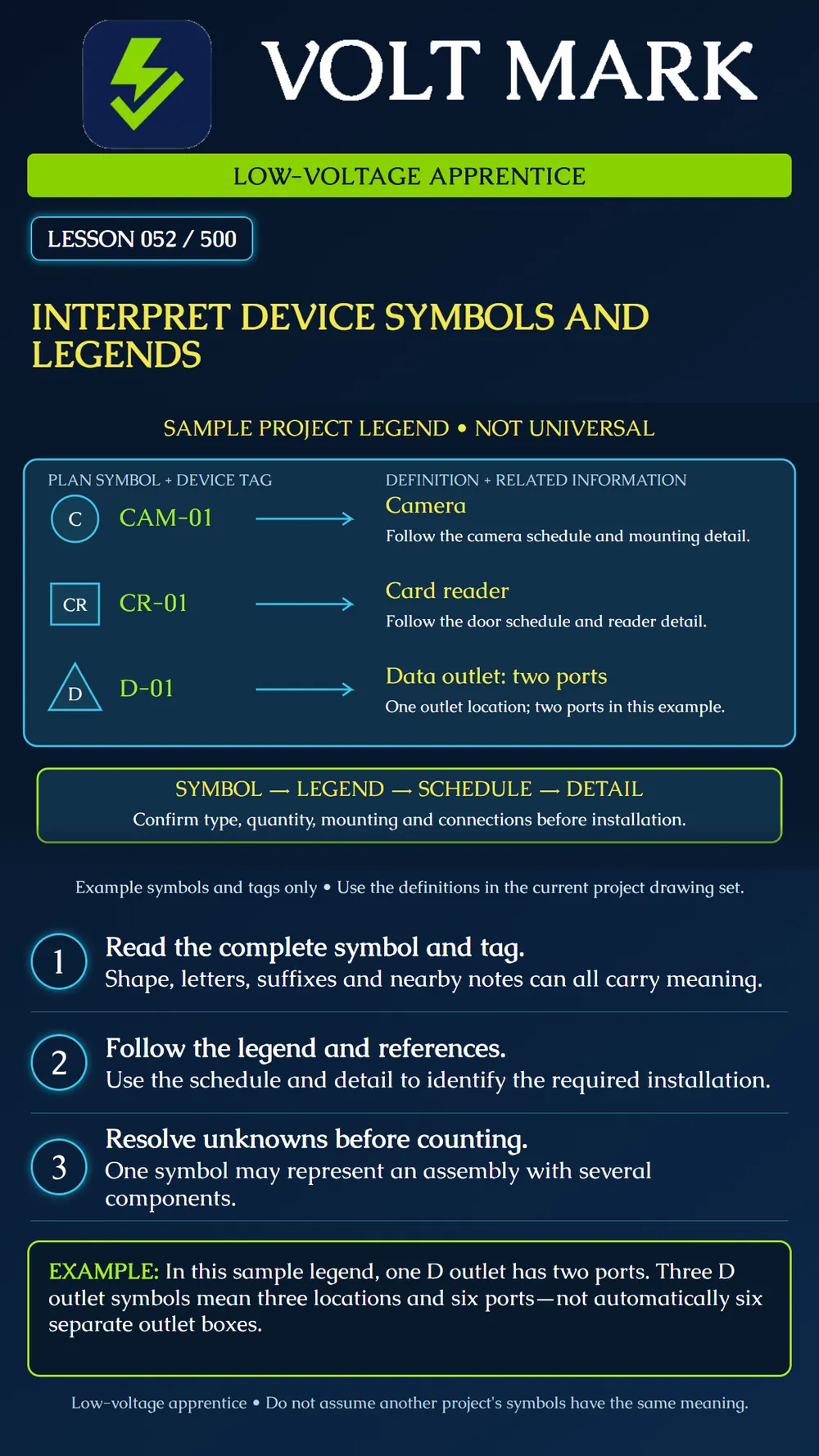
Match a device symbol and identifier to the current project's legend, then follow the related schedule, notes, and details without inventing missing requirements.
A small mark on a floor plan condenses information so the plan remains readable. Its shape, letters, suffixes, nearby notes, and leader lines may describe different parts of the requirement. A symbol alone rarely answers every question about device type, quantity, mounting, connection, and installation.
Start with the legend for the relevant discipline and current drawing set. A familiar letter or shape is not enough. Different owners or designers may use different conventions, and the same abbreviation can have different meanings in different contexts.
Find the symbol definition, then follow the applicable schedule and referenced detail. A camera schedule may distinguish device types or attributes. A door schedule and access-control detail may provide information that a reader symbol cannot convey. An outlet definition may state the number of ports or cables associated with one location.
Check mounting information in the applicable detail or schedule rather than guessing from where a symbol is drawn on a page. A plan mark is not a full-scale outline of the device. Where an abbreviation describes a mounting datum, find its definition and reference point in the project documents. Do not insert a familiar height from another project.
Existing, new, relocated, removed, and future work can be distinguished by notes, line styles, tags, or other conventions. Read the drawing's own definitions. Do not assume a dashed line always means a hidden cable or that a color reliably communicates work status on every printed copy.
Some symbols are shown for reference outside the current scope. Confirm the scope and notes before including them in a purchase list or installation count.
In this sample, one D symbol means one two-port data outlet location. Three such symbols represent three locations and six ports. That does not automatically establish the box type, cable category, faceplate, patching arrangement, or pathway. Those come from the rest of the project information.
A legend can also distinguish assemblies, multiple devices at one location, or spare provisions. Separate location counts, device counts, port counts, and cable counts when the work record requires them. Do not collapse these into a single ambiguous quantity.
A learner finds CAM-01 on a plan and immediately selects a camera from stock. The legend identifies the symbol as a camera but does not specify the required model or mounting arrangement. The missing step is to follow the current schedule, specification, and detail before selecting materials.
In a second scenario, a card-reader tag appears on a revised door detail but not on an older floor-plan print. The learner records the drawing references and asks for clarification through the project process. Guessing which document should control can create a wrong installation or an incorrect material order.
Using an instructor-provided drawing set, select five device marks. Record the sheet and revision, complete symbol and tag, legend definition, related schedule or detail, quantity interpretation, and unresolved information. Explain each mark in plain language. Keep any uncertainty visible.
The practice legend defines one D symbol as one two-port outlet location. A plan shows D-01, D-02, and D-03. Count three locations. Calculate 3 locations x 2 ports per location = 6 ports. Record both quantities with their units. Do not turn six ports into six boxes or select a cable category: the box and cable requirements must come from the referenced project documents. This result applies to the lesson's defined legend, not every project's D symbol.
Mistake: Recognizing CR from a previous job and using that job's mounting height. Correction: Confirm CR in the current legend and retrieve the mounting detail and its defined reference point for this project.
Mistake: Counting three two-port D symbols as six outlet locations. Correction: Record three locations and six ports separately; use the schedule and details to determine assembly and cable quantities.
Mistake: Treating CAM-01 as a camera model that can be pulled from stock. Correction: Use CAM-01 to find the applicable schedule entry, then verify the specified equipment and mounting arrangement before selecting materials.
Mistake: Counting a dashed device as new work because that was the convention on the last project. Correction: Read this drawing's status conventions and scope notes before including the device in the takeoff.
Montana State University, Telecommunications AutoCAD Drawing Legend: https://www.montana.edu/uit/wiringguidelines/tele-autocad-drawing-legend.html This owner-specific legend illustrates that an outlet symbol can represent multiple cables or ports. Its definitions are not adopted as universal requirements here. Source reviewed September 30, 2026.
Texas journeyman, 15 questions, scored by topic against the 70% mark. No card, and no account needed to start.
Free study material for low-voltage apprentices. This is a national foundation course: requirements differ by state and by local jurisdiction, and a practice that is common in one place is not a rule everywhere. Nothing here is a licence, a certification, or authority to work unsupervised, and completing it does not count as apprenticeship hours or continuing-education credit. Check the codes adopted where you are working, the licensing authority for that work, and your employer's safety programme. VoltMark is not affiliated with, endorsed by, or sponsored by NFPA, OSHA, NICET, BICSI, FOA, or any state or local licensing authority.

Electrician licensing exam prep: practice questions, timed exam simulations, and step-by-step help finding every answer in the NEC.