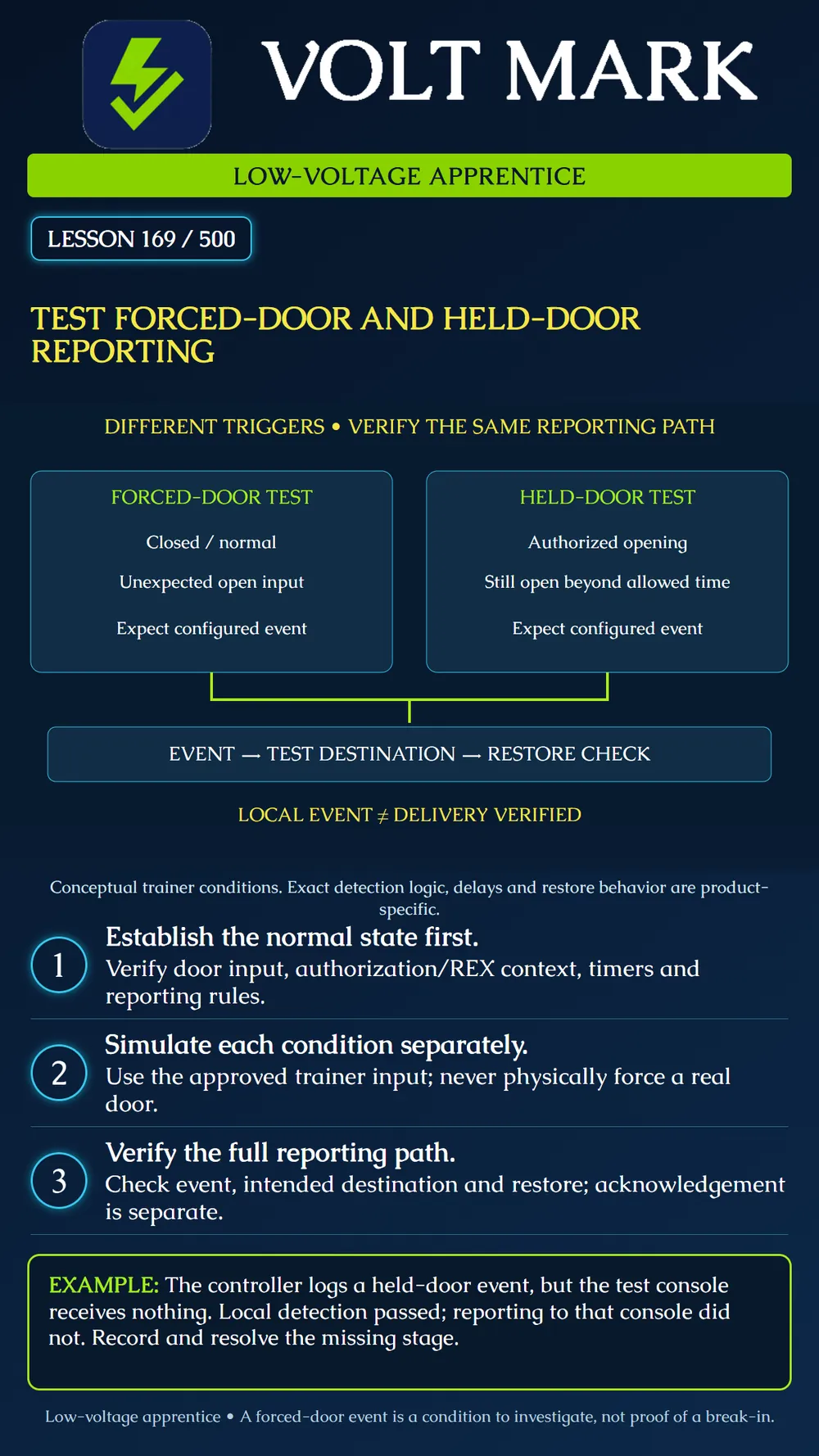
Use an isolated access trainer to distinguish forced-door and held-door conditions, verify their reporting paths and document restoration without confusing an event with a confirmed incident.
Use an instructor-approved door-input simulator or training contact. No live building door, emergency release circuit, dispatch service or production notification destination is part of this exercise. Never physically force a door. Any later live-site acceptance test requires its own authorized plan and coordination with affected personnel.
Door-position monitoring provides an input that the controller interprets using its configuration. First confirm that the trainer's closed and open states appear correctly. A reversed input interpretation or wrong door assignment can invalidate every later alarm test. Do not assume an open electrical circuit always means the physical door is open.
A forced-door report generally concerns an opening the configured logic does not recognize as authorized. Telcred's A1001 documentation describes a door-open indication without a preceding grant, with REX-related options that affect interpretation. This is a bounded product example. Check the actual platform's authorization windows, REX handling, operating mode and delay before setting an expected outcome. [1]
A held-door or open-too-long report concerns duration. Axis Entry Manager documents an allowed-open timer and an optional warning before its alarm. It also distinguishes the event from the action rule that determines what happens next. Timer names, start points, extended-access options and clearing behavior must be read from the installed product's documentation. This lesson provides no universal delay value. [2]
The event name is not a forensic conclusion. A forced-door indication could be associated with a mechanical issue, input fault, missing expected REX signal or other context requiring investigation. A held-door indication does not establish who held it or why. The technician's job during this exercise is to demonstrate the configured condition and reporting behavior, not infer intent.
Document trainer/door ID, input assignment and interpretation, operating mode, relevant access/REX settings, configured timers, test destination and expected restoration behavior. Confirm known controller time and that the intended configuration has reached it. Reset the trainer to its documented normal condition before each independent case.
With the trainer in the instructor-specified closed, entry-controlled state and no active authorizing condition, change only the approved door-input simulator to its open state. Observe the input transition, any configured delay and the resulting event. Record what actually occurred. Return to the defined baseline through the approved procedure. If the expected event does not appear, inspect the input and authorization context before changing configuration. Do not disable protection or alter a live REX circuit to manufacture a result.
Start a normal authorized training access cycle and indicate open through the simulator. Keep that simulated state beyond the documented allowed-open interval. If the plan includes a warning, record it separately from the main event. Record the timer's actual reference event and observed elapsed time rather than assuming it began at credential presentation. Return the simulator to closed. Observe whether the condition restores automatically, remains latched for acknowledgement, or requires another documented step. Record only the behavior actually observed for that product and configuration.
Check three stages separately: the controller detected the condition; the intended test destination received the correct event with the correct door identity; and the system handled restoration as specified. A local log entry does not prove a remote console received anything. An operator acknowledging a notification does not establish that the physical condition has cleared. Use an approved test console within the isolated environment. Do not send real messages to staff or monitoring services as part of this lesson. If remote delivery cannot be tested, label it pending rather than passing the entire reporting function.
A held-door event appears in the controller log at the expected point, but the training console receives no matching event. Report "local detection observed; console delivery failed or unverified," depending on the available evidence. Check the configured route and test destination through the authorized troubleshooting process. Keep the original result and the retest record.
Create a results sheet with columns for starting state, simulated event, expected detection, actual local event, destination receipt, elapsed time where relevant, restoration and unresolved items. Repeat the two tests independently. Include a normal authorized opening that closes within the allowed time as a comparison case. This comparison should not produce the held-door alarm under the documented test assumptions. Finish with the trainer restored, temporary test routing removed as directed, and any unresolved item assigned to the responsible person.
Answer: No.
Answer: The open condition persists beyond the configured permitted interval.
Answer: No.
Answer: No.
Answer: With the approved isolated trainer input, never by forcing a real door.
[1] Telcred, A1001 settings, Monitor settings and REX settings. Product-specific documentation. https://support.telcred.com/documentation/index.php/A1001_settings [2] Axis Communications, AXIS A1001 and AXIS Entry Manager, door monitor/time options and alarm/event configuration. Legacy product example. https://help.axis.com/en-us/axis-a1001
Free study material for low-voltage apprentices. This is a national foundation course: requirements differ by state and by local jurisdiction, and a practice that is common in one place is not a rule everywhere. Nothing here is a licence, a certification, or authority to work unsupervised, and completing it does not count as apprenticeship hours or continuing-education credit. Check the codes adopted where you are working, the licensing authority for that work, and your employer's safety programme. VoltMark is not affiliated with, endorsed by, or sponsored by NFPA, OSHA, NICET, BICSI, FOA, or any state or local licensing authority.

Electrician licensing exam prep: practice questions, timed exam simulations, and step-by-step help finding every answer in the NEC.