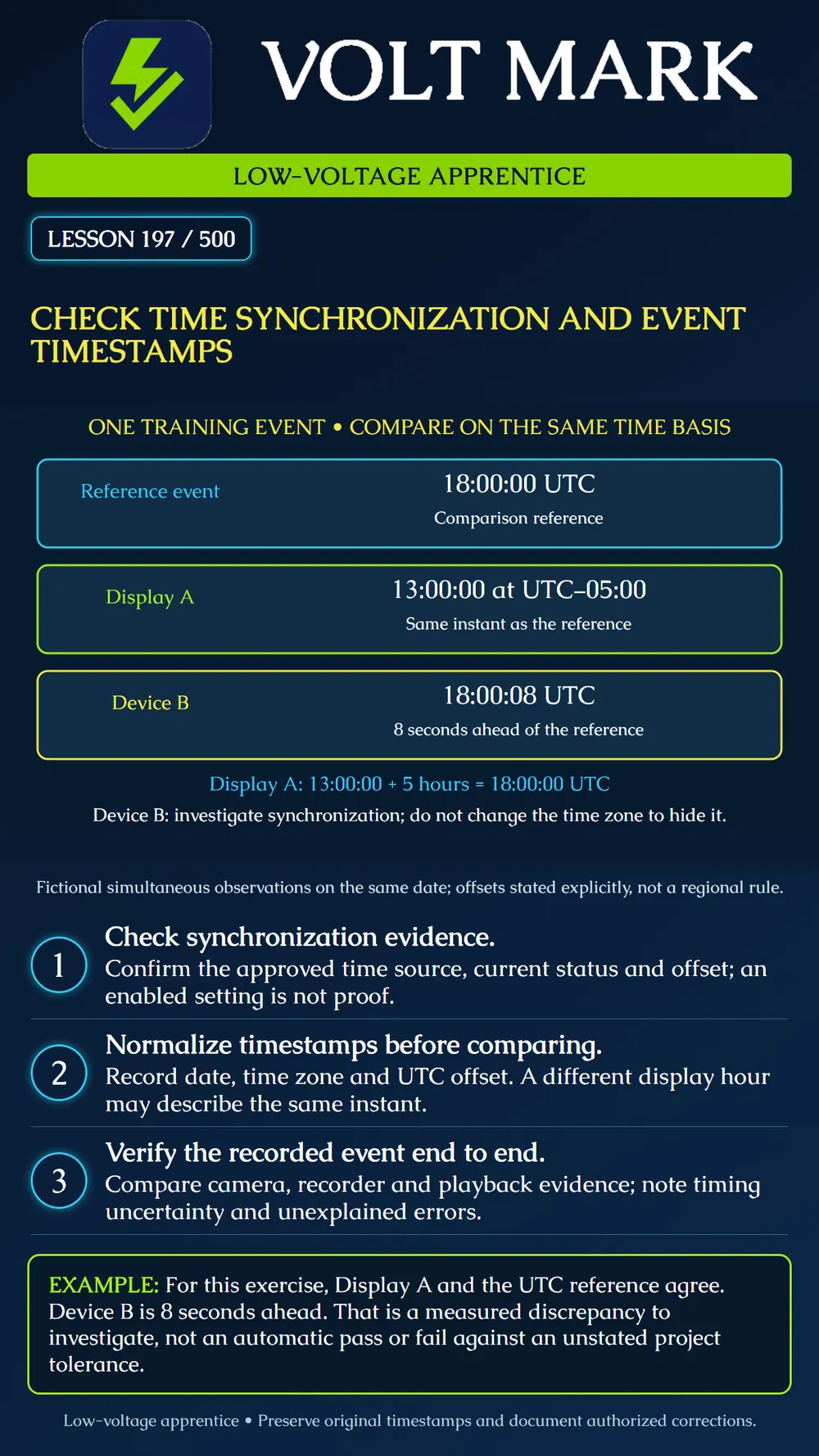
Compare video-system timestamps on a common time basis, distinguish display offsets from clock discrepancies, and document a repeatable verification exercise. No device settings or production time services are changed in this lesson.
First ask whether the clocks represent the correct instant. Then ask how that instant is displayed. Changing a display time zone to disguise an eight-second clock discrepancy does not resolve synchronization. Conversely, a five-hour display difference does not prove a five-hour clock fault when the displays intentionally use different offsets.
Avoid identifying a time zone solely with an ambiguous abbreviation. Record the configured zone and the offset applicable to the event date. Around a daylight-saving transition, a local wall-clock label can be repeated or skipped. Preserve enough information to distinguish the intended instant.
The Axis NTP API exposes synchronization information, including whether synchronization has occurred, an offset relative to the synchronization server and the time until the next synchronization. Its documentation describes the synced flag in relation to synchronization since device restart. Do not treat that single flag as a complete ongoing health assessment. Source: https://developer.axis.com/vapix/network-video/ntp-api/
Axis OS interface help describes synchronization settings, time-zone selection and synchronization status. These settings affect recordings and logs. Supported choices depend on the device and software. Source: https://help.axis.com/en-us/axis-os-web-interface-help-lts-2026
Axis event-stream documentation distinguishes absolute UTC event timestamps from relative RTP timestamps in the video stream. A raw media counter should not be read as if it were a wall-clock date. Source: https://developer.axis.com/vapix/network-video/event-data-streaming/ Sources accessed 2026-09-30. The following worksheet and numerical exercises are original teaching material, not vendor acceptance limits.
Identify the camera, recorder/server, viewing client and any relevant event-producing device. Record which component supplies each timestamp you are comparing. An image overlay, a recorder timeline and an event log may be produced or displayed by different components. Do not assume matching labels prove they share a clock source.
Use the organization's approved time reference and network design. Record the configured source, observed synchronization state, available offset or freshness information, product/software version and date of inspection. A source address entered in a settings box shows configuration intent, not a successful exchange. If status is stale or inconsistent, refer the evidence to the authorized network or system administrator.
Do not improvise public time-server access or firewall changes. An isolated site can use an approved internal time design; internet exposure is not a prerequisite for this lesson. Where authenticated time is supported and required, follow the organization's documented implementation.
In the authorized training environment, arrange a harmless visible event that can be identified in the recording, such as displaying a numbered training card. Record its reference time using the agreed method. Retrieve the relevant training clip and event record, preserving their original timestamp strings and stated offsets. Compare equivalent instants after conversion to a common basis.
Keep clock discrepancy separate from event-detection delay, network transport, buffering, frame timing and manual observation uncertainty. A door event detected at one point and a later person appearing in a camera are not necessarily simultaneous. State what physical event each timestamp represents before subtracting them. A coarse display with whole seconds cannot demonstrate millisecond accuracy.
Device/reference ID: Timestamp source and meaning: Original date/time string: Configured zone and applicable UTC offset: Normalized UTC date/time: Reference method: Observed difference and units: Observation uncertainty or resolution: Synchronization evidence and observation time: Project tolerance and who approved it: Result, unresolved question and authorized owner:
A complete result might read: "Fictional Device B labels the simultaneous reference event eight seconds ahead in this exercise. No project tolerance supplied; discrepancy recorded for investigation." Do not convert that into "system passed" merely because playback looks normal.
A real correction requires the approved change process. Preserve the original evidence and note when a correction was made; clock changes can affect how subsequent events appear on a timeline. Recheck a new controlled event after the authorized correction and document the result. Do not alter an original recording or rewrite historical evidence to make it look synchronized.
Answer: 18:00 on the same date.
Answer: 04:30 on the next date.
Answer: No; inspect actual synchronization evidence and its meaning.
Answer: No; compare the measured result with the approved requirement and uncertainty.
Answer: No; first distinguish event time, timestamp origin, transport and processing delay.
Free study material for low-voltage apprentices. This is a national foundation course: requirements differ by state and by local jurisdiction, and a practice that is common in one place is not a rule everywhere. Nothing here is a licence, a certification, or authority to work unsupervised, and completing it does not count as apprenticeship hours or continuing-education credit. Check the codes adopted where you are working, the licensing authority for that work, and your employer's safety programme. VoltMark is not affiliated with, endorsed by, or sponsored by NFPA, OSHA, NICET, BICSI, FOA, or any state or local licensing authority.

Electrician licensing exam prep: practice questions, timed exam simulations, and step-by-step help finding every answer in the NEC.