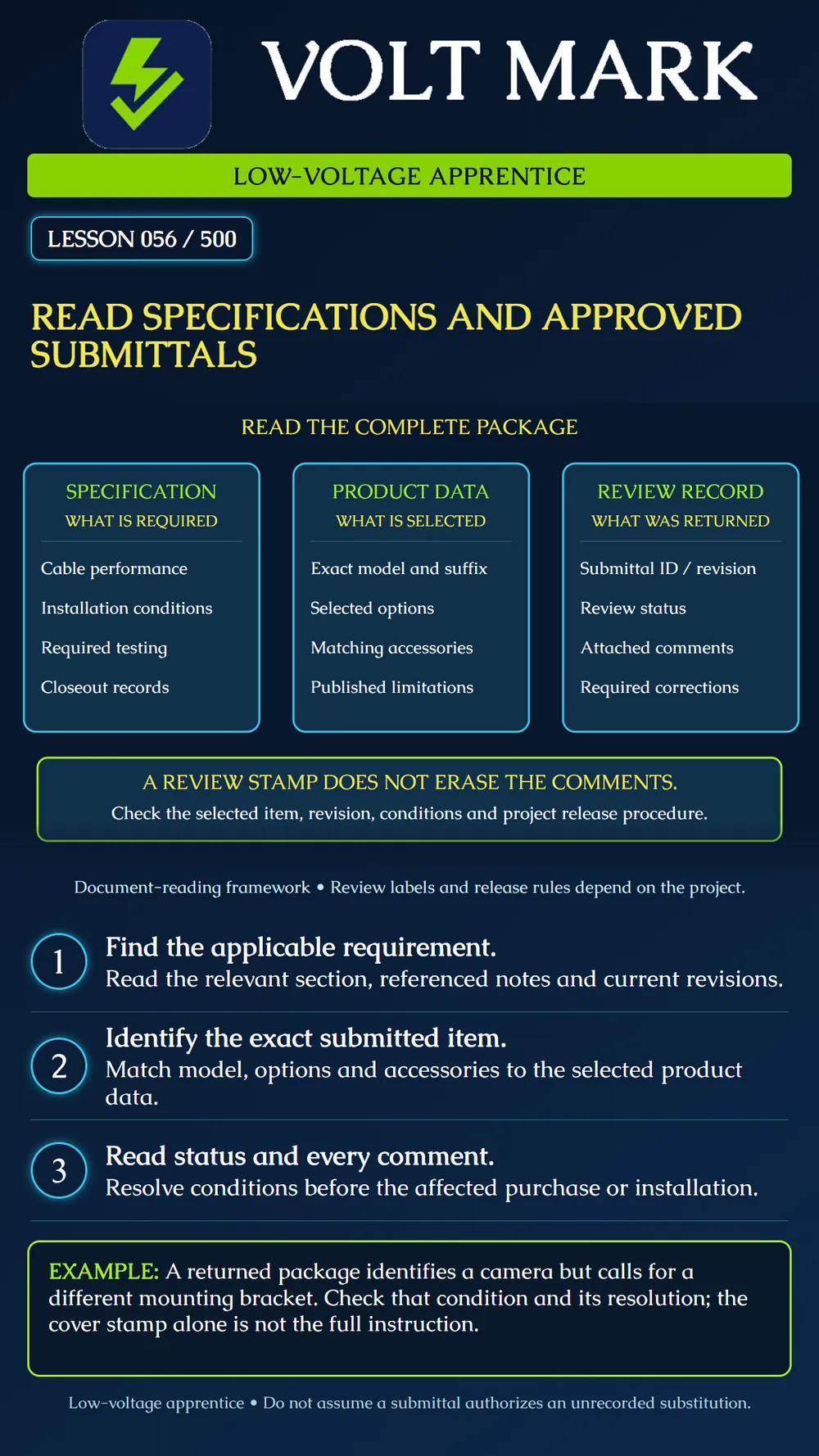
Find the applicable specification requirements, identify the selected product in a returned submittal, and carry review conditions into the authorized work process.
A specification describes requirements for the work. Product data describes equipment or material capabilities and limitations. A submittal package presents selected information for the project's review process. Read these together with the drawings and relevant instructions; none should be reduced to a cover-page stamp.
The exact review terms, responsibilities, and release conditions come from the project documents. This lesson does not create a universal contract hierarchy or define the legal effect of an approval label.
Locate the relevant specification section and its current revision or modification. Read the portions applicable to the task, including related references and notes. Depending on the project, the information may cover products, performance, installation, testing, qualifications, and records.
Do not stop at a brand name or a single product paragraph. For example, a cable requirement can include the installed test and report deliverable as well as the cable itself. A device requirement can include accessories or environmental limitations that are not obvious from the plan symbol.
Find the exact model, suffix, size, option, accessory, or other selection in the submitted data. A catalog page may show several alternatives. A highlighted or scheduled selection should be clear enough to identify what is actually proposed. If it is not, record the missing information rather than choosing an option yourself.
Compare the selected item with the relevant requirement and drawing references. Make a short record showing requirement, submitted selection, supporting page, and unresolved difference. Keep source references so another person can verify the comparison.
Check the submittal identifier, revision, review status, and all attached comments or marked pages. A cover page can be incomplete without the sheets it references. Read conditions affecting procurement, installation, resubmittal, coordination, or closeout under the project's procedure.
Terms such as “approved,” “approved as noted,” or “revise and resubmit” must be interpreted through that procedure. Do not assume the wording means the same thing on every project. Likewise, do not treat a returned package as permission for an unrecorded substitution.
A low-voltage camera package identifies an exact camera model and a mounting bracket. The returned review comments require a different bracket suitable for the documented location. The apprentice finds the camera model in stock and concludes that the package is ready.
The missing check is the bracket condition and its documented resolution. The camera identifier alone does not settle the full assembly. The apprentice links the comment to the selected accessory, checks the current authorized package, and asks the supervisor to resolve any outstanding condition before the affected work.
A second example involves a catalog sheet showing indoor and outdoor product variants. The selected suffix is not marked. The learner records that selection as unresolved rather than ordering the cheapest or most familiar variant.
Use the authorized current package and retain its identifier and revision in the working record. Check any later clarification or approved change that affects it. Keep superseded information distinguishable so an old printed sheet does not silently become the installation basis.
The manufacturer manual still matters for the selected product. A submittal selection is not a substitute for reading the actual installation instructions and limitations. The next lesson develops the relationship between that manual and the product label.
Use an instructor-prepared specification excerpt and fictional submittal package. Identify one requirement, the exact selected item, the supporting page, review status, and one comment. Write what must be resolved before the affected work. Do not invent approval or make procurement decisions from the exercise.
WBDG SpecsIntact, Unified Submittals: https://legacy.wbdg.org/tools/specsintact/Help/Submittals/UnifiedSubmittals.htm WBDG SpecsIntact, Submittal List: https://www.wbdg.org/tools/specsintact/Help/SIReportsAndLogs/Report_List_Submittal.htm Source review: September 30, 2026. These references illustrate specification-linked submittal organization. Actual project procedures govern review and release.
Free study material for low-voltage apprentices. This is a national foundation course: requirements differ by state and by local jurisdiction, and a practice that is common in one place is not a rule everywhere. Nothing here is a licence, a certification, or authority to work unsupervised, and completing it does not count as apprenticeship hours or continuing-education credit. Check the codes adopted where you are working, the licensing authority for that work, and your employer's safety programme. VoltMark is not affiliated with, endorsed by, or sponsored by NFPA, OSHA, NICET, BICSI, FOA, or any state or local licensing authority.

Electrician licensing exam prep: practice questions, timed exam simulations, and step-by-step help finding every answer in the NEC.