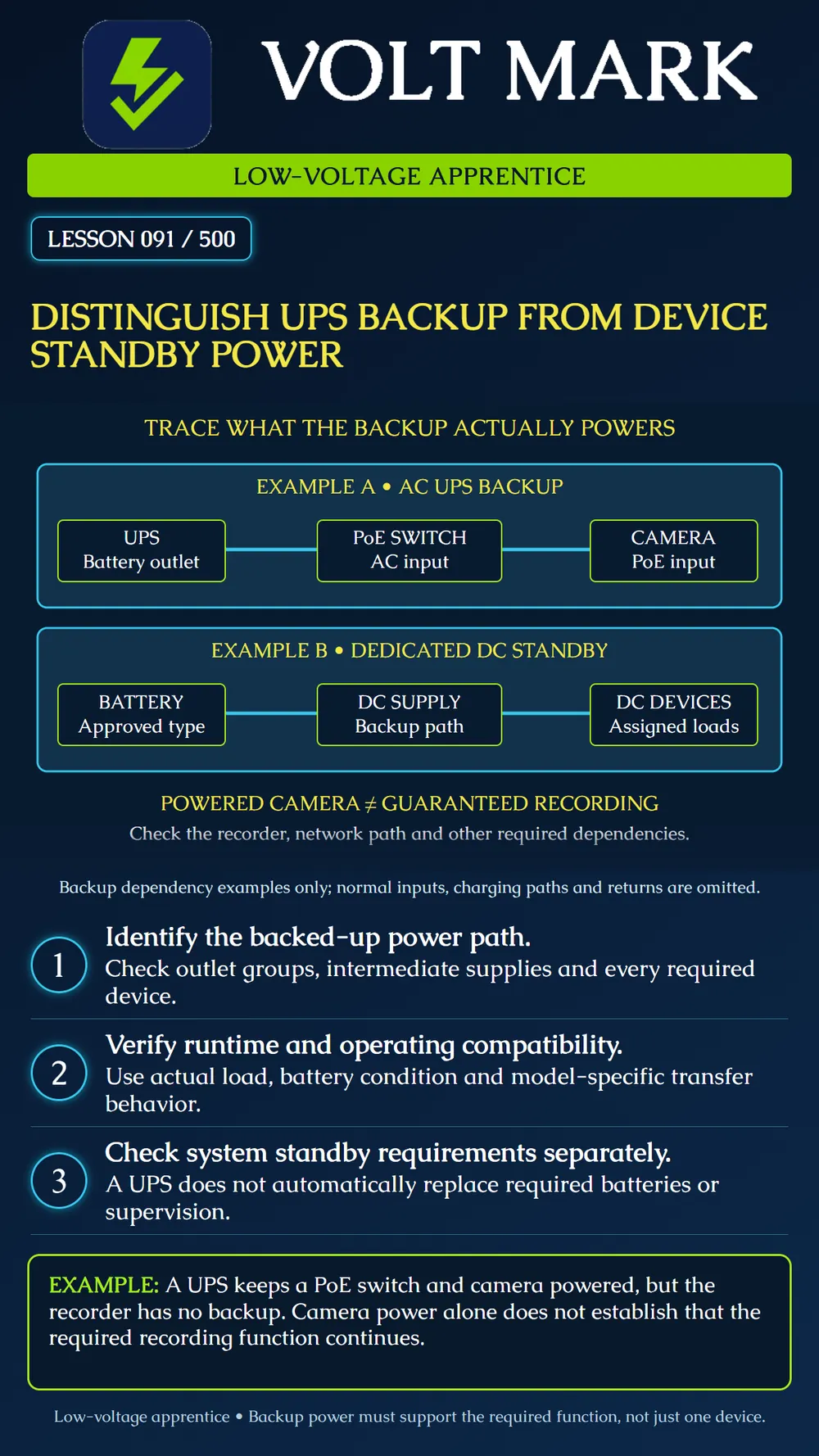
Identify the boundary of a backup arrangement and determine which system functions still depend on other equipment.
An AC-output uninterruptible power supply can maintain power to equipment connected to its backed-up outputs. In the first fictional diagram, it feeds the AC input of a PoE switch; that switch powers a compatible camera. The UPS does not connect directly to the camera's low-voltage terminals.
In the second diagram, an approved battery supports a dedicated DC power supply's backup path and its assigned DC devices. The diagram shows discharge dependencies only. Normal AC inputs, charging paths, returns and protective details are omitted. It is not a connection plan.
These are examples, not exhaustive definitions. DC UPS products also exist. Determine the actual topology from the equipment documentation rather than assuming every product labeled UPS has an AC output.
Some UPS models have both battery-backed and surge-only receptacles. Surge protection alone does not provide outage power. Verify the actual outlet group and configuration. Managed outlet groups may also have shutdown settings that affect which loads remain on.
APC's buying guide explains the relationship between connected load and runtime. Its overload guidance distinguishes demand on battery-backed outlets from the unit's capability. Check both applicable watt and VA limits and the manufacturer's runtime information for the selected configuration. Do not estimate runtime from the front-panel VA rating alone.
Altronix's AL400ULX documentation describes battery transfer, supported battery types and AC/battery supervision. Those features and limits are specific to that product. Other systems may require different charging, fault reporting, standby duration or output behavior.
Do not assume that adding an AC UPS permits removal of a panel's required battery. Confirm the governing system requirements, equipment listing and manufacturer instructions. A UPS alarm or software notification is not automatically equivalent to the supervisory signal expected by a life-safety or security system.
Different UPS designs and configurations have different transfer behavior and output characteristics. Confirm that the connected equipment tolerates the specified operation. Do not promise zero interruption for every UPS. Also evaluate startup load, power-supply compatibility and relevant low-battery shutdown behavior.
Follow the manufacturer's supported arrangement. This lesson does not authorize cascading UPS units, improvising battery connections or modifying mains wiring.
For camera recording, examine camera power, PoE switch, required network path, recorder and any service essential to the chosen recording mode. A camera that remains powered may have local storage, or may depend on a separate recorder; verify the actual design.
For access control, determine which functions depend on local controllers, readers, locking hardware, network links and servers. Do not infer egress behavior or emergency-release compliance from a backup diagram. Those functions require the approved design and system-specific verification.
A UPS supports a PoE switch and camera. The required recorder is connected to an unbacked source. During an outage the camera remains powered, but the design does not establish continued recording to that recorder.
Record the missing recorder dependency. Do not simply add it to the UPS without reevaluating capacity, runtime, compatibility and the approved arrangement. Identify all loads first, then evaluate the complete required function.
Required function and outage duration source: Each dependent device and power source: Backed-up outlet/output group: UPS or DC standby model/configuration: Normal/peak load and runtime evidence: Battery condition and maintenance evidence: Transfer/output compatibility: Supervisory and shutdown behavior: Unbacked dependencies: Approved verification method and unresolved issues:
APC - UPS Buying Guide: load, runtime and backup selection. https://www.apc.com/us/en/support/product-support/ups-buying-guide-for-selecting-a-battery-backup-system.jsp APC - Why might the Overload LED be lit on my APC Back-UPS? https://www.apc.com/ca/en/faqs/FA158830/ Altronix - AL400ULX: battery backup and supervision features. https://altronix.com/products/AL400ULX
The two diagrams are fictional functional examples, not approved system designs.
Free study material for low-voltage apprentices. This is a national foundation course: requirements differ by state and by local jurisdiction, and a practice that is common in one place is not a rule everywhere. Nothing here is a licence, a certification, or authority to work unsupervised, and completing it does not count as apprenticeship hours or continuing-education credit. Check the codes adopted where you are working, the licensing authority for that work, and your employer's safety programme. VoltMark is not affiliated with, endorsed by, or sponsored by NFPA, OSHA, NICET, BICSI, FOA, or any state or local licensing authority.

Electrician licensing exam prep: practice questions, timed exam simulations, and step-by-step help finding every answer in the NEC.