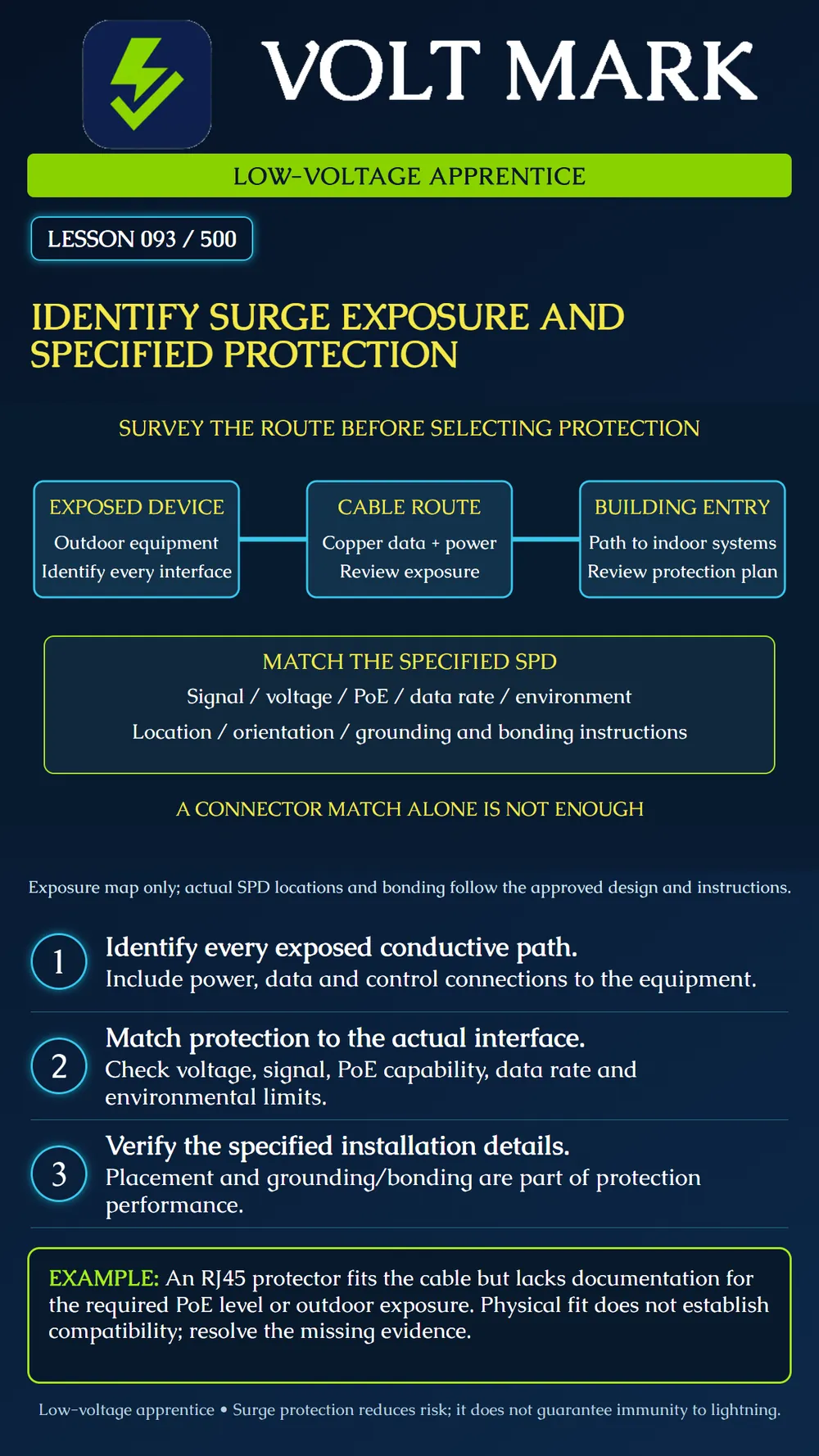
Map potential surge paths and verify that the specified protection matches the actual interface and installation.
Surges are brief voltage disturbances that can enter power or data paths. Axis identifies lightning and switching of substantial electrical loads among possible sources. Review outdoor routes, building entries and nearby electrical equipment as part of the actual project assessment.
List every conductive connection to the device: power, Ethernet, control wiring, coax and other interfaces present. Protecting only one path does not establish protection of the whole system. Record the route, endpoints and the approved protection requirement.
The poster is a route-survey diagram, not an installation design. It does not specify the number of protectors or where a particular device must be mounted.
Identify the exact surge protective device (SPD), interface and application. Check operating voltage, supported signal and data rate, PoE compatibility where applicable, and environmental conditions. A matching connector is not evidence that all electrical or signal requirements are met.
Axis distinguishes products suitable for exposed outdoor use from products intended indoors or within an enclosure. Its TU8001 product information is one example of a location restriction that must be read. Do not copy one product's capabilities to a similar-looking protector.
Review the approved locations, line/equipment orientation where specified, connection method and grounding/bonding instructions. Axis's camera guidance illustrates protection at an exposed device and a building entry for its described arrangements. That is manufacturer context, not a universal layout for every low-voltage system.
Do not omit a required bond or create an independent ground-rod workaround. Refer unresolved grounding details to the approved design and responsible qualified person. This lesson does not prescribe conductor size, electrode installation or mains-panel work.
An Ethernet protector is not automatically suitable for a fire-alarm circuit, an analog sensor loop or a different power interface. A device may change circuit loading or signal behavior. Where a listed system requires specific accessories or compatibility, verify that requirement before substitution.
Do not confuse an AC surge strip with protection of every low-voltage signal entering the connected equipment. Nor should a surge-protection component be assumed to provide overcurrent protection, isolation or battery backup.
An all-dielectric optical path does not provide the same conductive signal route as copper. But an installation can still contain metallic armor, strength members, power conductors and powered endpoint equipment. Identify the actual cable construction and remaining conductive paths. The word fiber on a drawing is not proof that every surge exposure has disappeared.
Record the specified model, protected interface, location and instruction reference. Verify status indicators and maintenance/replacement provisions according to the actual device documentation. A functional data link alone does not prove that all protective functions remain effective. No practical SPD should be described as making a system immune to every lightning event.
An outdoor camera route requires a specified PoE-compatible protector. A proposed substitute has the correct RJ45 connector, but no verified PoE capability or suitable outdoor installation documentation.
Record both gaps and refer the proposed substitution for resolution. Do not connect it merely to see whether the camera powers up. A successful startup would not answer all compatibility or protection questions.
Equipment and interface IDs: Cable construction and conductive paths: Route and exposure observations: Approved protection requirement: SPD exact model and applicable ratings: Data-rate/PoE/signal compatibility: Environment and mounting requirements: Specified location and orientation: Grounding/bonding reference: Status/maintenance provisions: Open questions and disposition:
Axis Communications - Power surges: exposure, camera-system installation and protection context. https://whitepapers.axis.com/en-us/power-surges Axis Communications - AXIS TU8001 Ethernet Surge Protector: application and installation-environment scope. https://www.axis.com/products/axis-tu8001-ethernet-surge-protector Axis Communications - Surge protectors: product/application distinctions. https://www.axis.com/products/surge-protectors
No actual SPD selection, location or grounding arrangement is approved by this lesson.
Free study material for low-voltage apprentices. This is a national foundation course: requirements differ by state and by local jurisdiction, and a practice that is common in one place is not a rule everywhere. Nothing here is a licence, a certification, or authority to work unsupervised, and completing it does not count as apprenticeship hours or continuing-education credit. Check the codes adopted where you are working, the licensing authority for that work, and your employer's safety programme. VoltMark is not affiliated with, endorsed by, or sponsored by NFPA, OSHA, NICET, BICSI, FOA, or any state or local licensing authority.

Electrician licensing exam prep: practice questions, timed exam simulations, and step-by-step help finding every answer in the NEC.