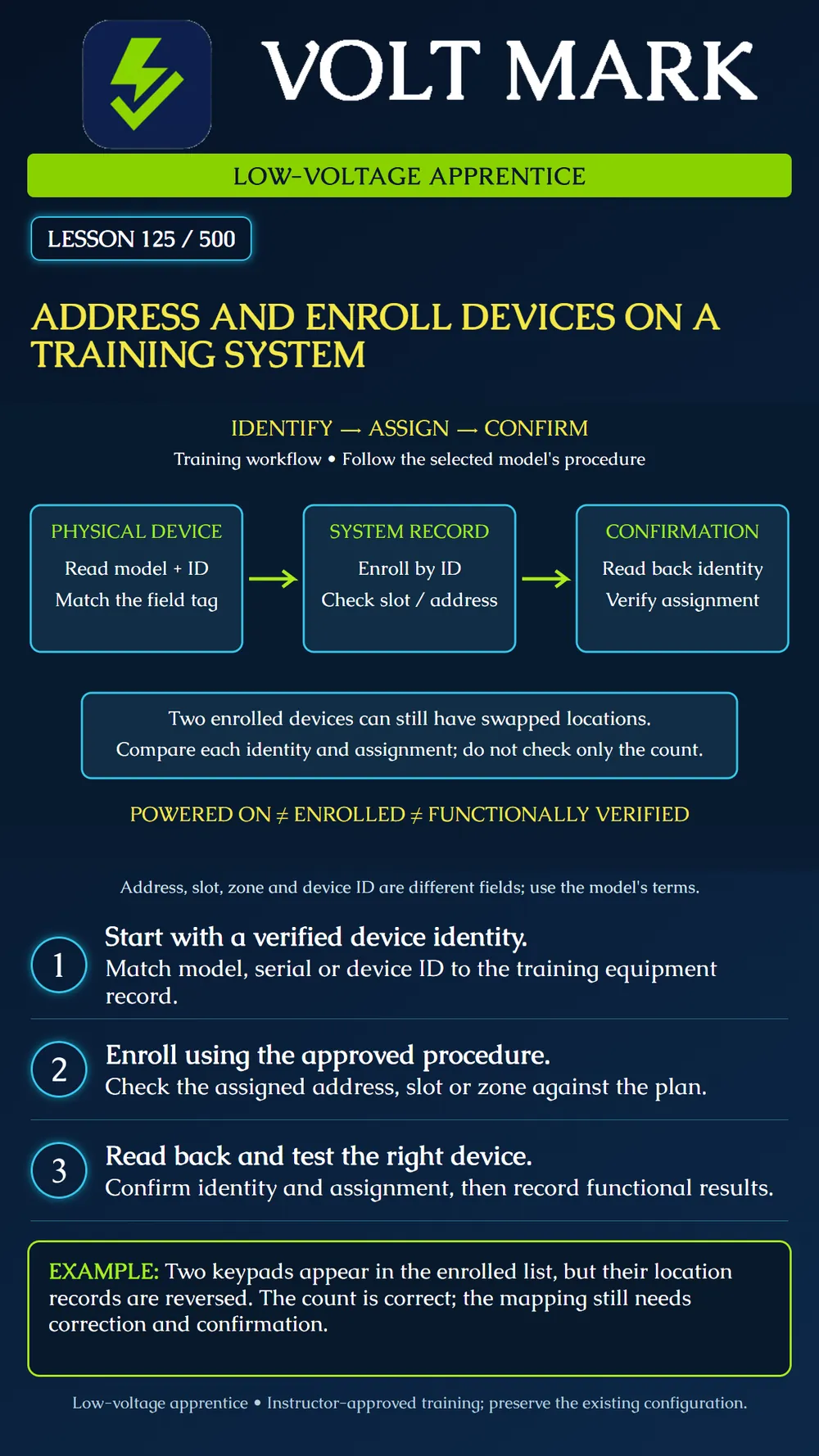
Match physical devices to system identities and assignments, perform instructor-approved enrollment, and record confirmation separately from functional testing.
Enrollment associates a device with a controller. An address, slot or zone assignment identifies where that device belongs within the selected system's structure. These terms are not interchangeable across all manufacturers. Read the exact device and controller instructions before applying an address-setting or enrollment method.
Begin with the training inventory. Record the model, physical equipment tag, location and manufacturer identifier. A project tag such as KP-01 is not automatically the serial number used by the controller. Compare the actual device identification with the record. If they disagree, resolve the discrepancy before enrollment.
The DSC PowerSeries Pro documentation provides a bounded example: modules may be enrolled automatically or manually using their serial identities, and a separate confirmation function checks enrollment. Its keypad instructions describe displaying the enrolled model, serial number and slot. The lesson teaches the distinction between entering a device and confirming it; menu paths and assignment rules for other products may differ.
Prepare the approved training system with the instructor. Confirm compatible equipment and the permitted scope of changes. Preserve the current configuration through the supported recording or backup method before modifications. Do not erase existing devices or factory-reset the system merely to make an enrollment error disappear.
Use the selected device's required method. Some systems use physical address settings, while others assign identities through software or enrollment. Do not assume a switch bank exists, or that changing a slot changes every associated zone or location record. Where physical wiring or settings are involved, follow the equipment's power-down and handling instructions.
Check the available assignment and any applicable limits. The appropriate uniqueness rule depends on the equipment type and system organization. Compare like fields within their actual scope, rather than assuming every displayed number must be unique across every device category.
After enrollment, read back the displayed identity and assignment. Compare them with the physical device and the approved record. A powered indicator proves only that the indicator is active. An enrolled-device count proves only the count displayed. Neither alone verifies the correct physical-to-logical mapping.
The instructor supplies two compatible training keypads and identifies their actual serial numbers. Label the physical training items KP-A and KP-B for the worksheet. Those tags are classroom identifiers, not serial numbers to type into a real panel.
The intended locations are Training Entry and Training Bench. Record each actual serial number beside its tag and intended location. Follow the manufacturer procedure with the instructor to enroll the devices. Read back both serial identities and their assigned slots. Compare all fields, not just the total number enrolled.
Introduce a swapped-location error on a copy of the worksheet only. There are still two devices on the list, so the count check passes. The identity-to-location comparison catches the mismatch. Correct the worksheet and record the reason for revision. This paper exercise does not authorize moving live assignments or deleting devices.
Once identities and assignments are confirmed, perform the instructor's authorized functional exercise for each device. Record which physical item produced the observed response and whether that response appeared in the intended system context. Restore the training system to its approved end state and record unresolved troubles rather than hiding them.
Wireless enrollment also does not establish radio performance at the final mounting location. The cited DSC placement-test guidance treats RF signal status as a separate check. Follow the actual wireless equipment's test instructions when that is part of the exercise. Do not treat successful bench enrollment as proof of final installed operation.
Date and instructor; controller model/version; device model; project tag; actual serial/device ID; intended location; intended assignment; enrollment method/reference; observed assignment; confirmation result; functional test reference; placement-test reference if applicable; unresolved issue and owner. Do not place installer codes or account credentials in a general lesson worksheet.
Checked September 30, 2026: DSC / Johnson Controls, PowerSeries Pro, Enrolling modules: https://docs.johnsoncontrols.com/dsc/r/DSC/en-US/PowerSeries-Pro-Reference-Manual/1.3.1/Configuration/Enrollment/Enrolling-modules DSC / Johnson Controls, touchscreen keypad, Enrolling the Keypad: https://docs.johnsoncontrols.com/dsc/r/DSC/en-US/HS2TCHPRO-HS2TCHPROBLK-HS3TCHPRO-HS3TCHPROBLK-Installation-Instructions/Basic-Setup/Enrolling-the-Keypad DSC / Johnson Controls, Placement Testing Wireless Devices: https://docs.johnsoncontrols.com/dsc/r/DSC/en-US/HS2LCDWF-V-PRO-HS2LCD-RF-PROx-HS3LCDWF-V-PRO-HS3LCD-RF-PROx-Installation-Instructions/Wireless-Device-Setup-and-Programming/904-Placement-Testing-Wireless-Devices The identity-mapping exercise and diagram are original instructional material. Product references are examples, not universal configuration instructions.
Free study material for low-voltage apprentices. This is a national foundation course: requirements differ by state and by local jurisdiction, and a practice that is common in one place is not a rule everywhere. Nothing here is a licence, a certification, or authority to work unsupervised, and completing it does not count as apprenticeship hours or continuing-education credit. Check the codes adopted where you are working, the licensing authority for that work, and your employer's safety programme. VoltMark is not affiliated with, endorsed by, or sponsored by NFPA, OSHA, NICET, BICSI, FOA, or any state or local licensing authority.

Electrician licensing exam prep: practice questions, timed exam simulations, and step-by-step help finding every answer in the NEC.