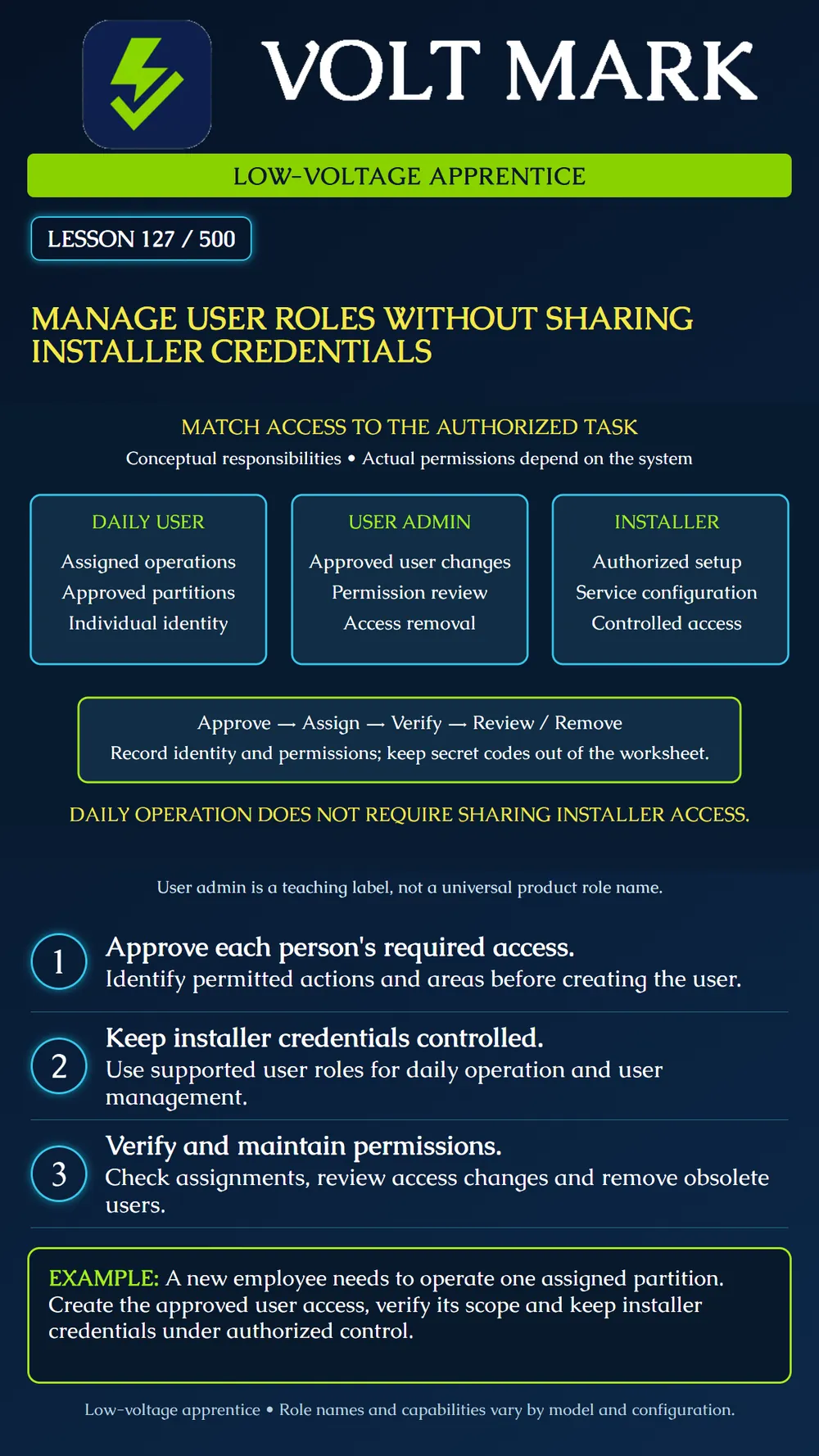
Assign and verify user access through supported roles while keeping installer credentials under authorized control.
Start with the person's job and the access the responsible owner has approved. Identify the required actions and areas before choosing a role. The ability to operate an alarm, manage other users and change installation programming represents different responsibilities. Giving everyone the most powerful credential makes those distinctions ineffective.
The poster separates three conceptual responsibilities: daily operation, user administration and installation/service configuration. These are teaching categories, not guaranteed menu labels. One product may use master and supervisor codes, while another uses different role names. Read the actual permission definitions and relevant configuration options.
In the cited DSC PowerSeries Pro access-code table, installer programming and ordinary arming/disarming permissions are distinct. Master and supervisor capabilities also differ from ordinary user capabilities. The same documentation notes that new access codes inherit partition and attribute programming from the code used to create them. That is a reason to review the resulting permissions explicitly rather than assuming a newly created user starts with a narrow scope.
Keep three questions separate: Who is the user? What may they do? Where may they do it? A display name alone does not establish a person's permissions. A valid code does not establish the correct partition assignment. Use individual user identities where supported so access can be changed for the right person and records can be interpreted meaningfully.
The manufacturer's partition guidance explains that user access is limited to assigned partitions, while its master access has broader scope. Treat that as a product example. Confirm the actual role and partition behavior in the installed version, including inherited attributes and options. Do not infer access merely from the role's name.
Keep installer credentials restricted to those authorized for installation and service. Provide everyday users with the supported access they need rather than sharing installer access as a shortcut. Follow the site's approved secure process for credential delivery and storage. Never put real secret codes in a general equipment schedule, lesson worksheet, photograph or handover poster.
A new employee needs to arm and disarm Training Partition A. They do not need to manage other users or change installer programming. The responsible owner approves that scope.
On a training worksheet, enter a fictional user reference, requested functions, approved partition and approval reference. Do not write a secret code. With the instructor, select the system's supported ordinary-user configuration and check the resulting attributes and partition assignments.
Read back the configuration through the authorized interface. Conduct the permitted training checks to show that the intended operation works and that excluded access remains excluded. Record what was checked and the result. Do not deliberately trigger live alarms or make repeated failed credential attempts that could cause lockouts. An approved simulation or configuration review can cover restricted actions where appropriate.
A week later, the fictional employee changes duties and no longer needs the partition. Record the approved change and use the supported process to remove that access. Verify the result. If the system has related app accounts, remote permissions or credentials managed separately, review those through their own authorized processes rather than assuming one panel change updates everything.
Review users when people join, change roles, leave or complete temporary work. Give unresolved exceptions a named owner. A shared legacy user record may require a planned transition, but it is not a reason to circulate installer credentials. Have the responsible administrator resolve the access model using the product's supported features.
If installer credentials have already been exposed, report that to the responsible owner and authorized service provider. Use the approved recovery or credential-change process, considering any dependent service arrangements. Do not reset the system or remove other people's access without authorization.
User reference; requested task; owner approval; selected product role; permitted partitions; relevant attributes; creation/change date; verification evidence; review/expiry plan; access-removal result. Keep secret credential values in the approved credential-management process, separate from this record.
Checked September 30, 2026: DSC / Johnson Controls, PowerSeries Pro, Access code types: https://docs.johnsoncontrols.com/dsc/r/DSC/en-US/PowerSeries-Pro-Reference-Manual/1.3.1/System-Operation/Commands/5-Program-access-codes/Access-code-types DSC / Johnson Controls, Assigning users to partitions: https://docs.johnsoncontrols.com/dsc/r/DSC/en-US/PowerSeries-Pro-Reference-Manual/1.3.1/System-Operation/Commands/5-Program-access-codes/Assigning-users-to-partitions The role cards and fictional exercise are original instructional material. No real credentials or universal product permissions are presented.
Free study material for low-voltage apprentices. This is a national foundation course: requirements differ by state and by local jurisdiction, and a practice that is common in one place is not a rule everywhere. Nothing here is a licence, a certification, or authority to work unsupervised, and completing it does not count as apprenticeship hours or continuing-education credit. Check the codes adopted where you are working, the licensing authority for that work, and your employer's safety programme. VoltMark is not affiliated with, endorsed by, or sponsored by NFPA, OSHA, NICET, BICSI, FOA, or any state or local licensing authority.

Electrician licensing exam prep: practice questions, timed exam simulations, and step-by-step help finding every answer in the NEC.