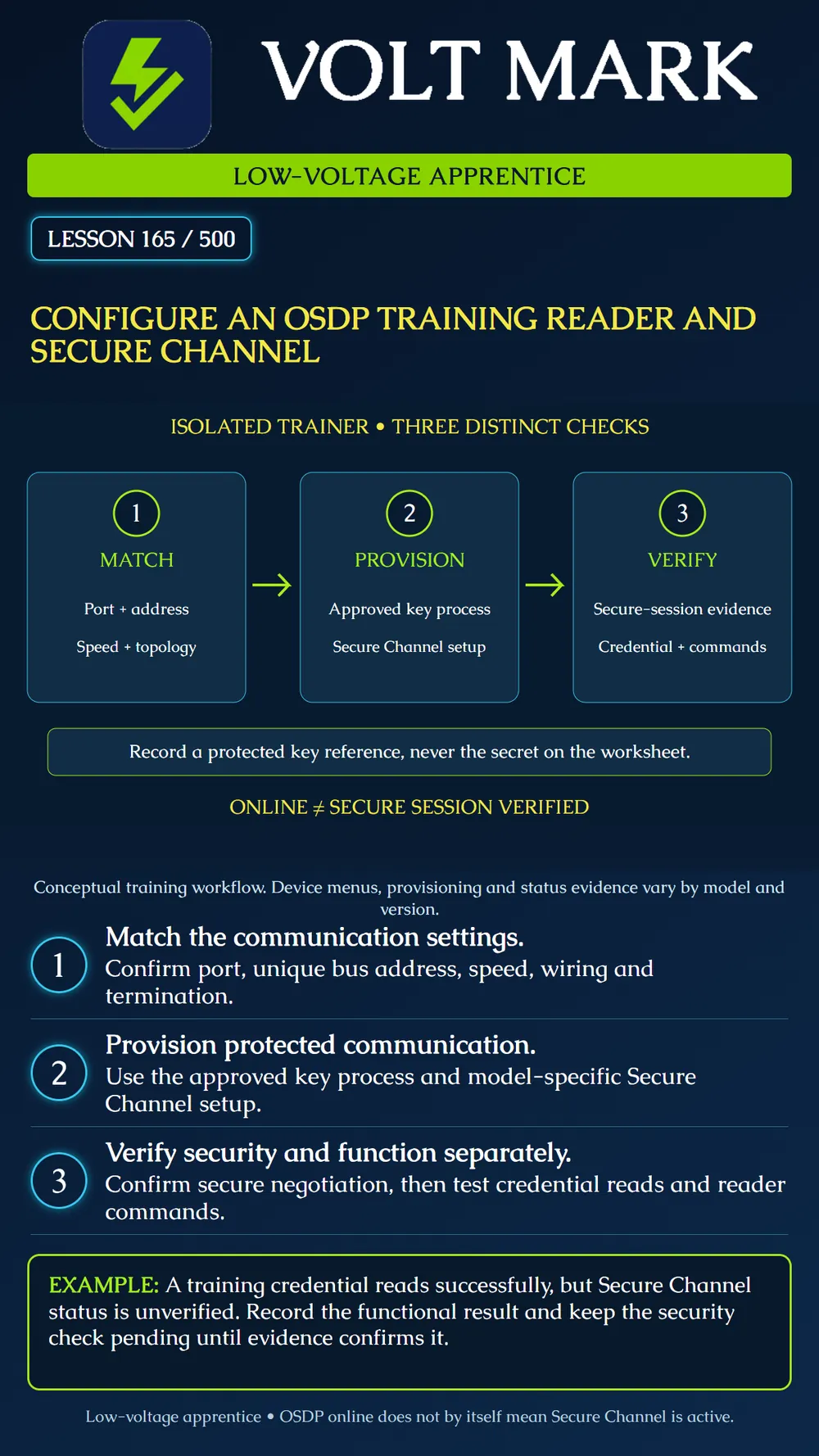
Configure a compatible reader on an isolated access trainer, establish OSDP Secure Channel using the approved product workflow, and record separate evidence for communications, security and reader operation.
Continue only after the physical termination inspection from Lesson 164. The trainer has no connection to a production door, building release circuit or live credential database. The instructor controls power, software access and training credentials. De-energize under the bench procedure before changing wiring or physical settings that require isolation.
OSDP is the communication protocol between the access control unit and peripheral device, such as a reader. Successful basic communication is not the same as an established Secure Channel. SIA recommends compatible verified devices and firmware, appropriate cabling and power, documented addresses, and bench verification of both secure negotiation and reader functions. Basic unsecured communication should not remain the accepted operating state after secure setup. [1]
Begin with the actual controller port and reader identity. Confirm the protocol selection, address, baud rate and topology from the two manufacturers' instructions. Each peripheral on the same bus needs a distinct address. Address reuse on a different independent bus is a separate question, so record the port as well as the number. Check cable pairing, termination and available reader power before assuming a software setting is the cause of a failed connection.
Use the actual configuration method for the selected reader. The AXIS A4020-E documentation identifies address switches, a default baud rate and an RS485 termination switch whose Off position activates termination. That last detail is a useful reminder that a switch marked Off does not universally mean a feature is disabled. Record the intended topology and follow the exact model's table; do not copy switch settings from an unrelated device. [2]
For the Axis training example, the documented Secure Entry workflow uses Configuration > Access control > Encrypted communication to establish the system's encryption configuration and enable OSDP Secure Channel. The reader guide also points to per-reader control. Follow the installed software version's supported workflow, including any reader enforcement setting and onboarding requirements. A system-level option alone should not be treated as proof that every assigned reader has an active secure session. [2]
The instructor or authorized administrator generates or provisions keys through the approved mechanism. Do not invent an easy shared key, reuse a published example, or put a secret into a worksheet, screenshot, support message or poster. Keep any necessary backup in the organization's approved protected storage. The training record can reference the protected key record or provisioning job without exposing its contents. Where a product uses a temporary installation or enrollment mode, complete the documented transition to its intended secured state. Do not leave an unsecured fallback enabled merely to make the reader appear online. If onboarding fails, retain the failure evidence and use the authorized recovery procedure. A factory reset is not a routine substitute for understanding a key or device-assignment mismatch.
Record the actual evidence that the selected reader negotiated the required secure session. Use the product's status, diagnostics or approved configuration audit that supports that conclusion. A checkbox expressing the desired setting and an online icon may describe different things. If the available evidence is ambiguous, mark the security check unresolved and ask the instructor to confirm the appropriate verification method. Then test assigned training functions: a known training credential read, supported LED or buzzer control, and any keypad function included in the exercise. Record expected and observed results separately. Reader communication encryption does not by itself establish the security of the credential technology, host network, database or the mechanical opening.
The worksheet shows reader R165 on port 1, address 1. The reader reports online and a training card number arrives. The learner marks "secure" without checking any security status. Correct the record to three entries: communication observed; training credential read observed; Secure Channel verification pending. Complete the missing check before accepting the exercise.
Create a short commissioning table with device identity, port, address, speed, topology, document revisions, provisioning reference, secure-session evidence and functional results. Have the instructor provide a simulated mismatched-address case on paper. Identify the mismatch without changing a production configuration. After successful bench configuration, perform only the instructor-approved persistence check for the trainer, such as a controlled restart if supported. Confirm the intended settings and secure session re-establish, and record the observed result. Protect any exported configuration according to the training site's rules.
Answer: No; verify the secure session separately.
Answer: They need distinct addresses on that bus.
Answer: No; use a protected reference instead.
Answer: No; follow the exact model documentation.
Answer: No; it protects the reader-controller communication link, while other components require their own controls.
[1] Security Industry Association, Implementing OSDP Access Control? Follow This Simple Checklist, February 10, 2026. https://www.securityindustry.org/2026/02/10/implementing-osdp-access-control-follow-this-simple-checklist/ [2] Axis Communications, AXIS A4020-E Reader, Configure your device and Specifications. https://help.axis.com/en-us/axis-a4020-e
Free study material for low-voltage apprentices. This is a national foundation course: requirements differ by state and by local jurisdiction, and a practice that is common in one place is not a rule everywhere. Nothing here is a licence, a certification, or authority to work unsupervised, and completing it does not count as apprenticeship hours or continuing-education credit. Check the codes adopted where you are working, the licensing authority for that work, and your employer's safety programme. VoltMark is not affiliated with, endorsed by, or sponsored by NFPA, OSHA, NICET, BICSI, FOA, or any state or local licensing authority.

Electrician licensing exam prep: practice questions, timed exam simulations, and step-by-step help finding every answer in the NEC.