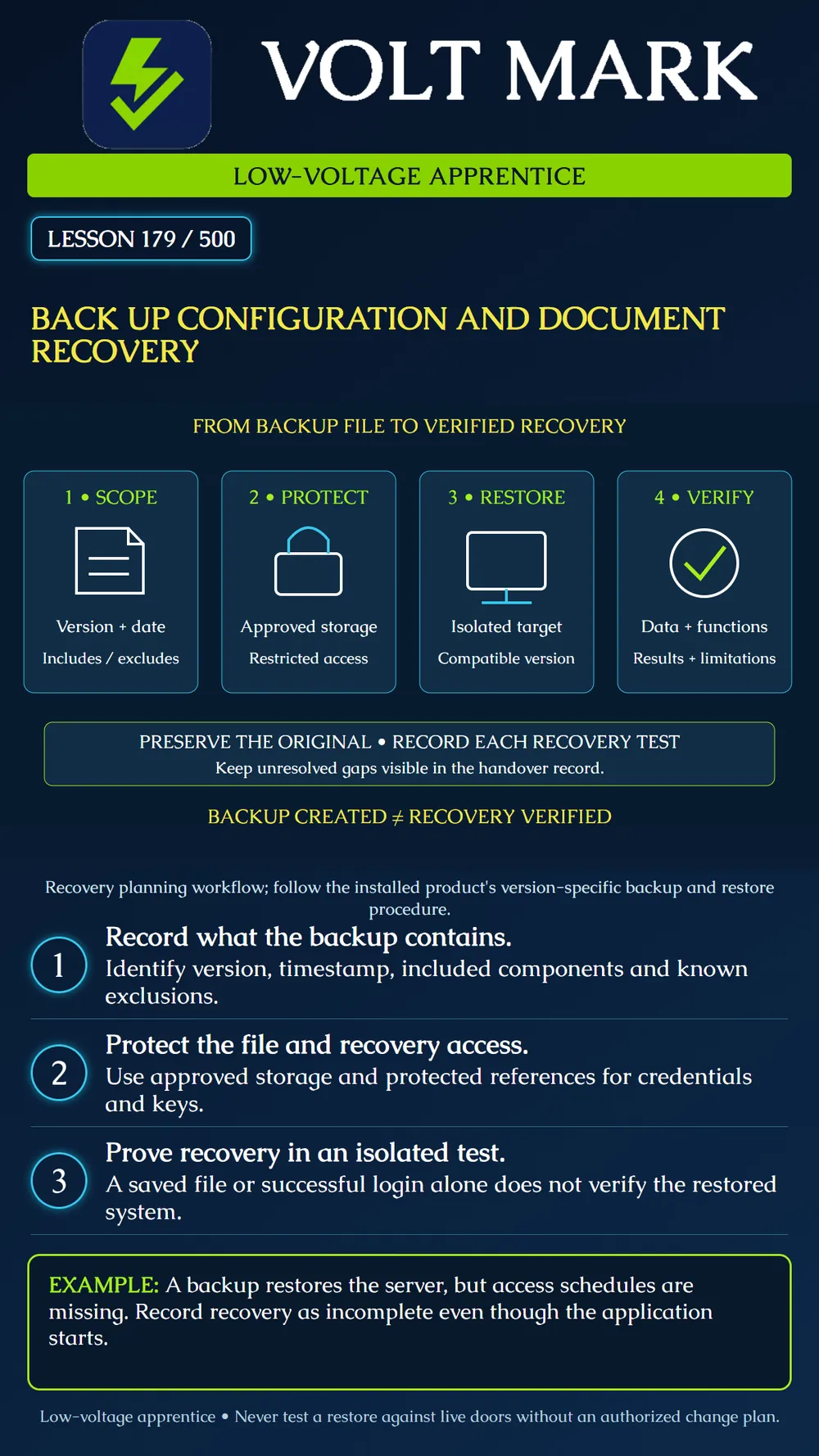
Prepare a backup record and a recovery-validation plan for an access-control system. Distinguish successful file creation from evidence that the required configuration and functions can be recovered.
The AXIS Camera Station Pro manual differentiates system, maintenance and manual backups. It warns that recordings are not stored in the database and that some service-control settings are excluded. Its manual-backup description also distinguishes core data from component databases. These product-specific limits illustrate why 'I copied the database' is not a complete access-control recovery record. Source: https://help.axis.com/en-us/axis-camera-station-pro
The Axis migration guide directs Secure Entry recovery to component-specific instructions and identifies credentials and certificates that need attention on a replacement server. A restored database therefore does not by itself establish that every external connection or protected function is ready. Use the instructions for the installed release; this lesson is not a generic command sequence. Source: https://help.axis.com/en-us/axis-camera-station-pro-installation-and-migration-guide
Ask the owner and responsible administrator what must be recovered and how recent that recovery needs to be. Record the system and component versions, opening/controller inventory, configuration revision and time reference. Separate server configuration, controller configuration, credential data, schedules, event history, photos and video records as applicable. Identify each item's documented backup method and known exclusions.
Do not assume one export includes all other files. A report, device list or screenshot may help reconstruction but is not necessarily a restorable backup. Record whether a backup covers the whole system or only selected components. Document the authorized person's responsibility for separately retained information.
Follow the manufacturer's supported process rather than copying a changing live database indiscriminately. Keep the completed backup identifiable by system, time and version. Record the completion result, filename, storage reference, size and an integrity value if the approved process uses one. Preserve earlier approved recovery points according to the owner's retention policy.
A matching checksum can support that two copies are byte-for-byte identical. It does not prove the file contains every required component or will restore correctly. Similarly, a job marked successful does not prove an intended remote storage copy exists; verify the actual destination and accessibility under authorized credentials.
Backups may contain personal information and security-sensitive configuration. Use approved access-controlled storage and protection appropriate to the owner's policy. Reference the protected credential or key repository instead of placing passwords or encryption keys in a handout, filename or ordinary ticket. Confirm that authorized recovery personnel can obtain necessary access during an outage.
A copy stored only on the failed server may be unavailable when needed. Document the owner's approved independent storage arrangement and the verification evidence. Do not claim off-site or cloud protection merely because a folder has a synchronization icon.
A fictional training system has two doors, three access groups and a weekday schedule. Its owner expects those items to be recoverable. The instructor provides an approved backup and a separate, isolated recovery environment that cannot issue commands to real doors or contact real cardholders.
The backup imports and the application starts, but only two access groups appear. The trainee records 'restore started successfully; required access-group data incomplete.' Logging in is not a sufficient pass criterion. The missing group might reflect an older recovery point, incomplete backup scope or another error; investigation must identify the cause rather than silently recreating it and declaring the backup complete.
In a second scenario, all configuration appears present, but a test reader cannot establish its required secure channel. Mark that function unresolved and refer the protected provisioning details to the authorized administrator. Do not relax security settings to obtain a superficial pass.
In a third scenario, an old backup contains a fictional visitor permission that was revoked after the backup timestamp. The recovery plan must identify and reconcile changes since that point before any production use. Restoring old data can restore old permissions; the date matters.
The responsible administrator selects a supported target version and recovery method, preserves the original backup and prevents the test system from controlling production devices. Validate the documented scope with representative and risk-appropriate checks: inventory, opening mappings, access groups, schedules/time settings, account roles, protected communications and event behavior. Use fictional credentials and a trainer for functional tests.
Record what was actually exercised and what was not. A test without physical hardware can verify some data and application behavior, but it cannot establish every opening's physical operation. Compatibility, licenses, certificates, external services and recovery access need their own evidence where applicable. Do not let an isolated test reconnect itself to production through a copied address or service setting.
Include system ID; source version; backup time and scope; storage and integrity references; protected-access references; restore procedure revision; isolated target details; test operator; expected and observed results; limitations; discrepancies; correction/retest evidence; and restoration or disposal of the test environment under the approved process. Record the last demonstrated recovery time and outstanding gaps.
A real production recovery requires its own authorized change plan, appropriate responsible personnel and opening-specific verification before normal service is declared. This classroom lesson performs none of those actions.
Free study material for low-voltage apprentices. This is a national foundation course: requirements differ by state and by local jurisdiction, and a practice that is common in one place is not a rule everywhere. Nothing here is a licence, a certification, or authority to work unsupervised, and completing it does not count as apprenticeship hours or continuing-education credit. Check the codes adopted where you are working, the licensing authority for that work, and your employer's safety programme. VoltMark is not affiliated with, endorsed by, or sponsored by NFPA, OSHA, NICET, BICSI, FOA, or any state or local licensing authority.

Electrician licensing exam prep: practice questions, timed exam simulations, and step-by-step help finding every answer in the NEC.