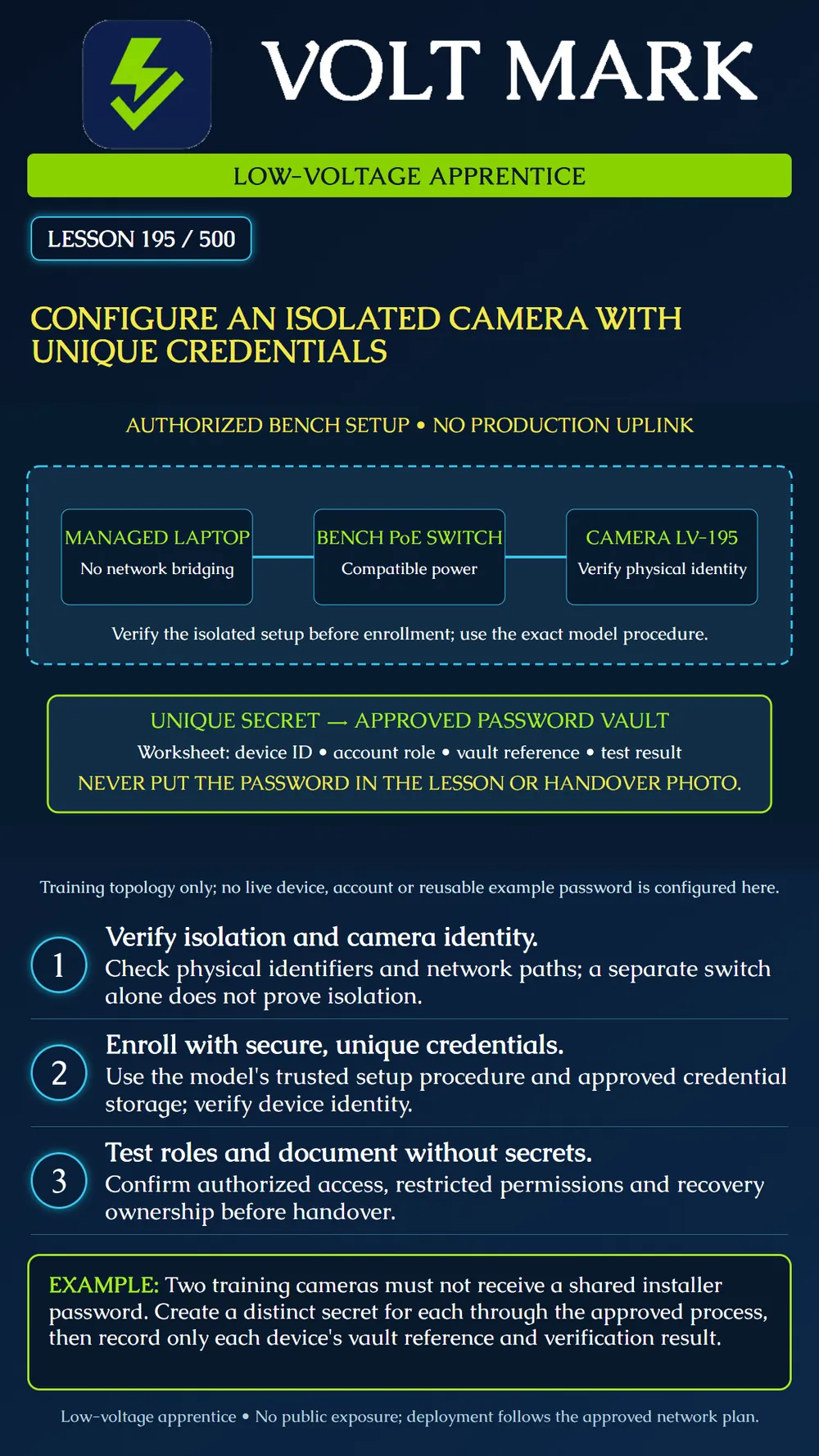
Plan an authorized isolated enrollment exercise, assign unique credentials and document verification without exposing secrets. This lesson contains no real credentials and performs no live configuration.
The Axis hardening guide recommends unique device passwords, authenticated access, secure management communications and maintained device software. It advises against public device exposure and unnecessary services. Defaults and available controls vary by model and software version. HTTPS protects the management connection, but trusting the correct device identity also matters. Follow the manufacturer's identity and certificate-enrollment process; do not make blanket certificate-warning bypasses a commissioning habit. A secure web login does not automatically establish that every media stream is encrypted. These manufacturer principles support the exercise below; its fictional topology and checklist are original.
The instructor provides a camera labeled LV-195, a compatible PoE switch and a managed setup laptop. The task is limited to that equipment. The switch has no production uplink. Confirm the laptop is not bridging the bench to another network through Wi-Fi, Internet sharing, a second adapter or another connection. A cable diagram alone is not evidence of isolation. Use the employer's approved bench configuration and network addressing procedure. Do not scan unrelated networks or assume an unfamiliar discovered device belongs to the exercise.
Compare the physical identifier with the authorized asset record and the manufacturer's discovery or enrollment method. Record model, serial identifier and software version in the protected inventory. A familiar display name is not enough if the underlying identity does not match. Resolve a mismatch before entering administrative secrets.
Read the exact model and version instructions. Determine whether enrollment requires creating the first administrator, a device-specific initial credential, certificate enrollment or another supported method. Do not factory-reset equipment simply because a login fails; existing configuration and recordings may be affected. In the exercise, an unexpected preconfigured state is referred to the instructor. Where an update is part of the approved exercise, obtain the matching supported package through the vendor's trusted process and verify it as instructed. Do not fetch firmware from an unrelated download mirror or connect the bench directly to production to bypass a transfer problem.
Use the organization's approved password manager to generate and store a strong unique password meeting the device's supported rules. Do not copy one installer password across cameras. Associate the stored entry with LV-195 and the account role. The ordinary worksheet records a vault reference, not the secret. Avoid including passwords in filenames, screenshots, QR-code photos, chat messages or a printed training answer key. No password is supplied here because an example is easily reused as a real credential.
Use the approved secure management path and certificate/identity validation procedure. A certificate mismatch, unexpected issuer or unidentified device is a reason to resolve enrollment, not to train a learner to ignore warnings. If the model's first-use procedure needs a special trust step, document how the identity was established and how the final trust configuration was verified. Do not claim that a padlock alone proves the device is the intended camera.
Separate administrative setup from ordinary viewing or service access where the system supports it. Assign the minimum permissions required for the approved role. After saving, sign out and verify the intended account can sign in through the supported path. Check that a limited account cannot perform a representative prohibited configuration action. Record pass/fail without disclosing its secret. Do not perform repeated password guessing or induce a lockout to demonstrate a security feature.
Record device identity, software version, addressing assignment, account roles, vault references, management trust status, authorized verification results and recovery owner. Confirm the approved owner can retrieve the needed credential through the approved process. Keep temporary installer access under the agreed removal or handover procedure. Do not delete the only functioning administrator or leave an unrecorded recovery account. Connecting the camera to its operational network is a separate authorized step under the approved network plan. This exercise does not open router ports, publish a camera or enable remote access.
The camera accepts its new password, but the laptop still shares another network connection with the bench. Enrollment success does not prove isolation. A learner records the password in a handover photo. Treat that as a secret exposure and follow the organization's response and replacement process; merely hiding the photo in the worksheet is not proof the secret remains controlled. A viewer can change system settings. Correct the role assignment through the authorized procedure before calling the least-privilege test complete.
Axis OS Hardening guide: https://help.axis.com/en-us/axis-os-hardening-guide Basis: unique credentials, authenticated access, management protection, maintained software and limited exposure. A CISA password-guidance page returned403 on retrieval and is not represented as a read source. Exercise steps and topology are original instructional material, subject to the actual manufacturer's procedure and organizational controls.
Free study material for low-voltage apprentices. This is a national foundation course: requirements differ by state and by local jurisdiction, and a practice that is common in one place is not a rule everywhere. Nothing here is a licence, a certification, or authority to work unsupervised, and completing it does not count as apprenticeship hours or continuing-education credit. Check the codes adopted where you are working, the licensing authority for that work, and your employer's safety programme. VoltMark is not affiliated with, endorsed by, or sponsored by NFPA, OSHA, NICET, BICSI, FOA, or any state or local licensing authority.

Electrician licensing exam prep: practice questions, timed exam simulations, and step-by-step help finding every answer in the NEC.